

In the second quarter of 2025, the Anti-Phishing Working Group, known as APWG, observed 1,130,393 phishing attacks. That was the largest quarterly total since the second quarter of 2023, and it was up from 1,003,924 attacks in the first quarter of 2025. Each attack in that count is a unique phishing site, a fake page built to steal a password, a card number, or a login code.
A phishing link is the door to that fake page. It arrives in an email, a text, a WhatsApp message, or a social media message. It looks like it comes from your bank, a delivery company, a shop, or a friend. It asks you to click, to log in, or to confirm something urgent. The click is the whole trick. Once you are on the fake page, the rest follows.
This post teaches you to read a link before you click it. You do not need technical skill. You need 30 seconds, and you need to know where to look.
What Is Actually Happening
Phishing works because a link hides its real destination. The text you see says one thing, and the address behind it says another. On a phone, the problem is worse, because the screen is small, the full address is often hidden, and a message arrives when you are busy and in a hurry.
The most attacked sectors in the second quarter of 2025 were financial and payment services, software and webmail, and online shopping. That means the fake links most often pretend to be a bank, a payment app, an email service, or a shop. In Ghana, the same trick appears in other forms. A text says a traffic fine is due, and the link leads to a fake payment page. A message says a parcel is waiting, and the link asks for a card number. A message says your mobile money account will be blocked, and the link asks for your PIN. No bank or telecom company will ever ask for your PIN or your one time code through a link, and our guide How Mobile Money Fraud Actually Works in Ghana, and How to Not Be the Next Victim explains that rule in full.
APWG also recorded that 1,642 brands were targeted by criminals using QR codes in the second quarter of 2025, with delivery company DHL attacked most often, followed closely by Microsoft. A QR code is a link you cannot read at all until you scan it, which makes it a useful hiding place for a fake address. The same 30 second check in this post applies after you scan a code, before you type anything into the page it opens.
A phishing link does not always lead to a page that looks fake. The best fake pages copy the real page closely, with the same colours, the same logo, and the same words. That is why checking how a page looks is not enough. You have to check where the link goes, and you have to check it before you log in.
How to Read a Link
A web address has parts, and each part tells you something. Take a normal address, such as the address of a bank. It has a start, a middle, and an end. The part that matters most is the domain, the name in the middle that identifies the owner of the site.
Here is the rule that stops most phishing. Read the address from right to left, and find the domain just before the first single slash after the name. Everything before that domain is a subdomain, which an attacker can invent freely. Everything after the slash is a path, which an attacker can also invent freely. Only the domain itself has to belong to the real owner.
An example makes this clear. The address support.yourbank.com is owned by yourbank.com, because yourbank.com sits just before the end of the name. The address yourbank.com.fake-site.com is not owned by your bank, because the domain is fake-site.com, and yourbank.com is only a subdomain that the attacker invented. The address yourbank-support.com is also not your bank, because the domain is yourbank-support.com, a different name that only looks similar. The address yourbank.com-login.net is also fake, for the same reason. The real bank never needs a hyphen, an extra word, or a different ending to reach its own login page.
Five signs, checked together, catch most fake links.
First, the domain is wrong, or nearly right. Look for a misspelling, a swapped letter, an extra word, or a different ending, such as .net or .org where the real site uses .com, or a free domain where a bank should have its own. If you are not sure what the real domain is, do not guess. Open the real site yourself, from a bookmark or by typing the address you already know, and compare.
Second, the link uses a shortener, or hides the address entirely. A shortened link, such as one that starts with bit.ly or a similar service, tells you nothing about the destination. A button that says Click here tells you nothing either. On a phone, press and hold the link to preview the address before you tap it. On a computer, hover over the link with your mouse to see the address at the bottom of the screen. If the preview does not match the sender, do not click.
Third, the message creates urgency. Your account will be closed today. Your parcel will be returned. Your money will be lost. Your fine will double. Urgency is the tool that stops you from reading the link. A real company will give you time, and a real problem will still be there when you check it through the official app or the official number.
Fourth, the message asks for a password, a PIN, a card number, or a one time code. A real bank, a real telecom company, and a real delivery company will never ask for those details through a link in a message. If a page asks for them after you clicked a link in a message, close it and open the official app yourself.
Fifth, the sender does not match the link. An email that claims to come from a bank but is sent from a free email address is a warning. A text that claims to come from a delivery company but links to a site with a different name is a warning. Check both the sender and the link, not just one of them.
Why This Is Different
Many guides tell you to look for spelling mistakes in the message, or to check whether the page has a padlock. Both checks help, but neither is enough now. Scammers write clean messages, often with the help of AI, and a fake page can show a padlock too, because a padlock only means the connection is encrypted, not that the site is honest. A fake site can buy the same encryption as a real one.
What still works is the address itself, and the habit of reaching the real site yourself instead of following a link someone sent you. That habit does not depend on how good the fake page looks. It depends on one decision: never log in through a link in a message when you can open the app or type the address yourself.
That is also why this post is different from our guide How Your Email Is Tracked When You Open It, and How to Stop It, which explains how a sender can know when you open an email, and from our guide How to Check If Your Phone Is Being Tracked, which explains the signs that a phone may be watched. Those posts are about what others can see. This post is about one action, the click, and how to check it before you take it.
Who Is at Risk
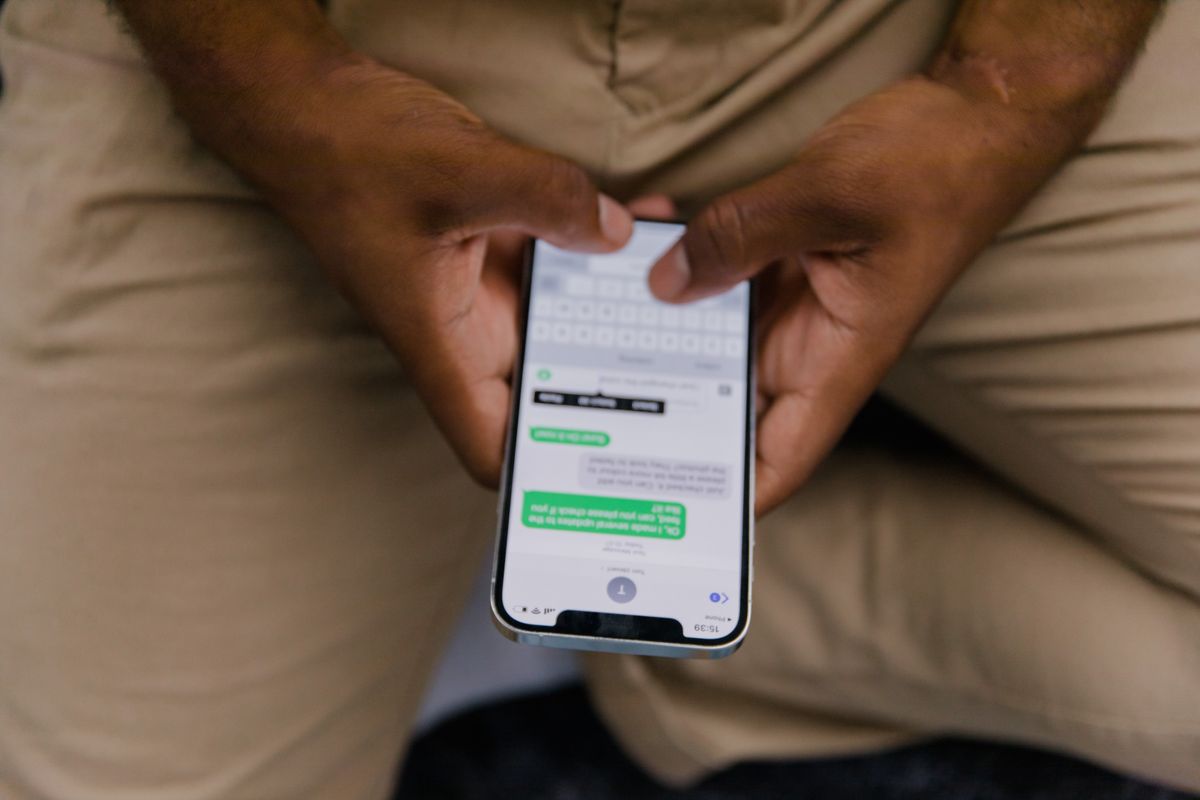
Everyone who receives messages is at risk, because phishing does not need you to be careless. It needs you to be busy. Workers who answer messages between tasks, parents who check a delivery message while cooking, and students who click a link about a grant or a job are all likely targets, because each of them is in a hurry when the message arrives.
Small business owners are at risk in a second way. A fake link can target the business email, the shop page, or the payment account, and a single stolen login can lock the owner out of the business itself. Our guide 5 Simple Moves That Stop Most Hacks and Scams explains the five moves that protect a business phone, starting with updates and two factor authentication.
People who shop online are at risk from fake delivery messages and fake shop adverts, which are among the most common phishing traps. A message that says a parcel is held, or a sale ends tonight, is built to make you click before you think.
What Ghanaian Law Says
Phishing is a crime in Ghana, but the law cannot stop a link from reaching your phone. The Cybersecurity Act, 2020 (Act 1038) created the Cyber Security Authority, which receives reports about cybercrime and issues alerts about scams. You can report a phishing message to the Authority by calling 292, by sending a WhatsApp message to 0501603111, or by emailing report@csa.gov.gh.
The Data Protection Act, 2012 (Act 843) requires organisations that hold your personal data to keep it secure, and to tell the Data Protection Commission and the people affected when data is accessed by someone who should not have it, as soon as reasonably practicable. That duty applies to the company that was impersonated, and to any company whose data was leaked, but it does not undo a password you typed into a fake page yourself. That is why the check before the click matters more than any report after it.
If you paid money through a phishing link, report it to your bank or mobile money provider first, in writing, and keep a copy. A payment that has already been collected can usually not be reversed, so report it at once, save screenshots of the message and the fake page, and follow the steps in our guide What to Do the Second You Realise You Have Been Scammed.
Checklist: The 30 Second Check Before You Click
- Stop when a message creates urgency. A real account, parcel, or fine will still be there in 30 seconds. Use that time to check the link.
- Preview the address before you tap it. On a phone, press and hold the link. On a computer, hover over it. Read the domain just before the first single slash. If the domain is not the real company name, do not click.
- Do not trust a shortened link or a button that hides the address. If you cannot see where it goes, do not follow it. Find the same page through the official app or the official site instead.
- Open the real site yourself. If a message says your bank, your email, or your delivery needs attention, close the message, open the official app, and check there. If there is a real problem, it will show in the app.
- Never type a password, a PIN, a card number, or a one time code into a page you reached from a link in a message. Close the page and log in through the official app instead.
- Check the sender as well as the link. A bank will not email you from a free email address, and a delivery company will not link to a site with a different name. If the sender and the link do not match, delete the message and report it to the Cyber Security Authority on 292.
Conclusion
Phishing links work because they hide their destination and rush your decision. The defence is simple, and it fits in 30 seconds: preview the link, read the domain, and reach the real site yourself instead of following the link someone sent you. A padlock does not prove a site is honest, a clean message does not prove it is real, and a familiar logo does not prove the address belongs to the company it names.
Make the check a habit, and teach it to the people around you. The next phishing message will still arrive. The difference is that it will arrive to someone who reads the link first.
Sources
- Anti-Phishing Working Group, Phishing Activity Trends Report, 2nd Quarter 2025, published 28 August 2025. In the second quarter of 2025, APWG observed 1,130,393 phishing attacks, up from 1,003,924 in the first quarter of 2025, the largest quarterly total since the second quarter of 2023. Financial and payment services, software and webmail, and online shopping were the most targeted sectors. 1,642 brands were targeted by criminals using QR codes, with DHL attacked most often, followed closely by Microsoft. (https://docs.apwg.org/reports/apwg_trends_report_q2_2025.pdf)
- Bank of Ghana, 2025 fraud figures, as used in earlier Onescholar posts. 24,778 fraud cases in 2025, up 48 percent from 16,733 in 2024, with over 97 percent of cases through payment providers.
- Cyber Security Authority, Ghana. Report a scam by calling 292, by WhatsApp to 0501603111, or by email to report@csa.gov.gh.
- Republic of Ghana, Cybersecurity Act, 2020 (Act 1038) and Data Protection Act, 2012 (Act 843), as described in earlier Onescholar posts.
- Onescholar, What to Do the Second You Realise You Have Been Scammed, 5 Simple Moves That Stop Most Hacks and Scams, How to Delete Your Personal Data from the Internet.
